Best AI coding assistant in 2026: which one should you pick?
An AI coding assistant completes, fixes and writes code on your behalf, right inside your editor or terminal. In 2026 the category has moved from simple autocomplete to real agents that can read a whole repository, plan a task and edit several files at once. We compared the market leaders on what matters to a working developer: generated code quality, agent autonomy, language coverage, IDE integration, code privacy and real price. Here is our selection, from turnkey GitHub integration to the self-hosted assistant for security-conscious teams.

Our pick at a glance
Our pickGitHub Copilot, the most versatile assistant and the best integrated into your IDE (VS Code, JetBrains, GitHub), with one of the cheapest Pro plans on the market.
See ↓ Best AI editorCursor, the editor built around AI, with the most mature agent for reworking an entire project in depth.
See ↓ Best code qualityClaude Code by Anthropic, the terminal agent that reasons best over large codebases.
See ↓ Best value for moneyWindsurf (formerly Codeium), a full-featured agent, unlimited free autocomplete and a lean Pro tier.
See ↓ Most sovereignTabnine, the self-hosted assistant with IP indemnity and air-gap deployment for security-sensitive teams.
See ↓At a glance
The best AI coding assistants compared
| Tool | Rating | Type | Free tier | Paid plan | Privacy | |
|---|---|---|---|---|---|---|
 GitHub Copilot Our pick GitHub Copilot Our pick | ★★★★½ 4.6 | IDE extension | ✓ (limited) | ~$10 | Cloud, opt-out | See → |
 Cursor AI editor Cursor AI editor | ★★★★½ 4.5 | Editor (VS Code fork) | ✓ (Hobby) | ~$20 | Cloud, Privacy mode | See → |
 Claude Code Code quality Claude Code Code quality | ★★★★½ 4.5 | Terminal agent | ✗ | ~$20 | Cloud (US based) | See → |
 Windsurf Best value Windsurf Best value | ★★★★☆ 4.3 | Editor + agent | ✓ (daily quota) | ~$20 | Cloud, opt-out | See → |
 Tabnine Self-hosted Tabnine Self-hosted | ★★★★☆ 4.1 | IDE extension | ✓ (Basic) | ~$12 | On-premise / air-gap | See → |
| RReplit | ★★★★☆ 4.0 | Cloud IDE / agent | ✓ (Starter) | ~$25 | Cloud | See → |
Indicative pricing for the entry-level individual plan, USD net, recorded in July 2026 (Copilot Pro, Cursor Pro, Claude Pro including Claude Code, Windsurf Pro, Tabnine Dev, Replit Core). This market moves fast: Copilot switched to usage-based billing (AI Credits) in June 2026, Windsurf dropped credits for daily quotas in March 2026, and Cursor and Replit both charge credits for some agent requests. Pro+, Ultra and Max plans exist at $60, $100 or $200/month, plus team and enterprise offers (per seat) with each editor.
Just want to try without paying?
Most of these tools ship a free version. To start out, GitHub Copilot Free and Windsurf (unlimited autocomplete) are the most generous. Cursor Hobby lets you test the agent with a monthly quota. To pick by profile, our guide on how to choose an AI tool walks through the criteria.
The top in detail
Our top 5 AI coding assistants, analysed
GitHub Copilot
The most versatile assistant, best integrated into your IDE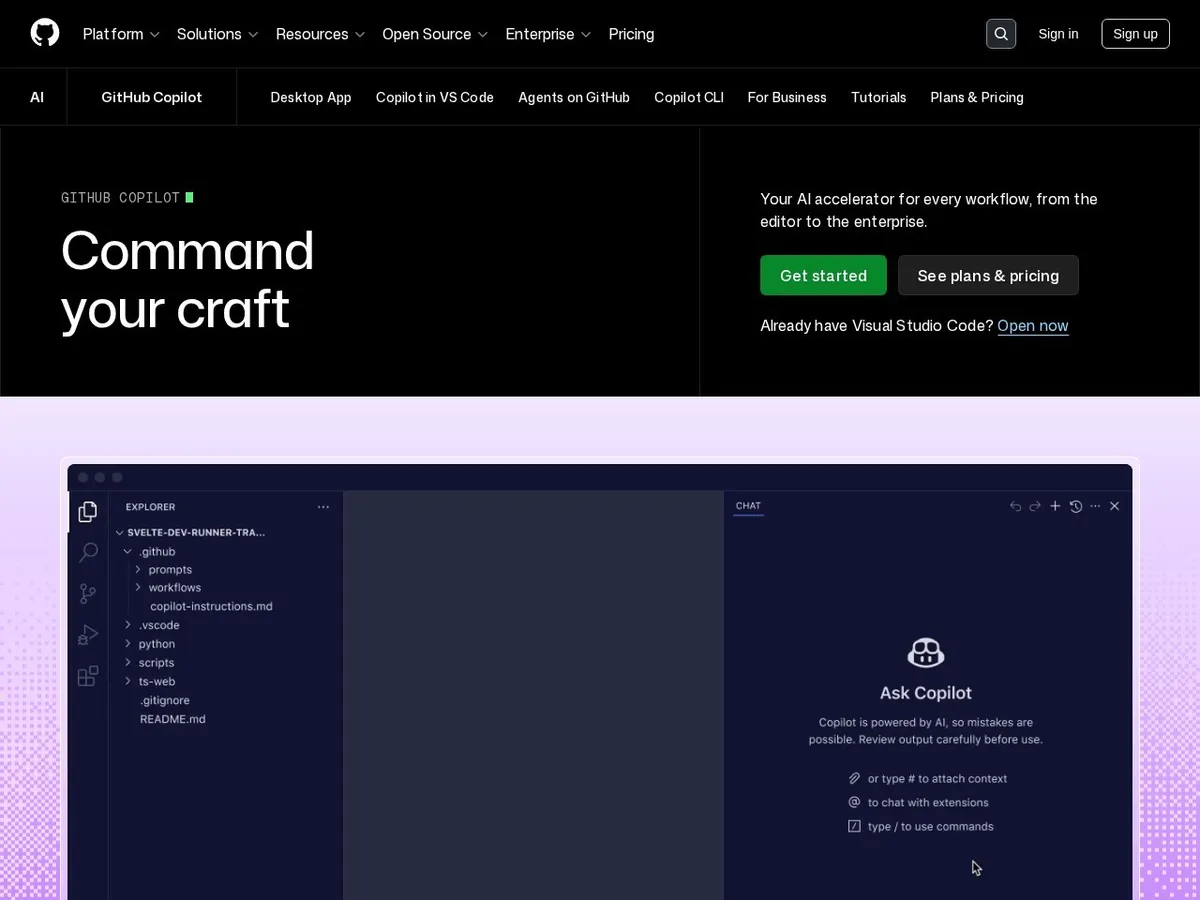
- +
The broadest market integration: VS Code, Visual Studio, JetBrains, Neovim, command line and code review straight into GitHub pull requests.
- +
Choice of models (Claude, GPT, Gemini) depending on the task, an agent mode that edits several files, and snappy inline completion.
- +
Pro plan at roughly $10/month, among the cheapest around, with a genuinely usable free tier and a mature enterprise rollout.
- –
The shift to usage-based billing (AI Credits) in June 2026 muddies the cost picture once you lean on agent features.
- –
Processing in the US cloud: for sensitive code, you need to turn public suggestions off and review the retention policy.
Our verdict
Copilot takes our top spot because it fits almost every workflow: it plugs into the editor you already use, ships a solid agent, lets you switch models per task and stays the cheapest of the mainstream options. Its real limitation is cost clarity, since usage-based AI Credits can make heavy agent sessions harder to budget.
Cursor
The best editor purpose-built for AI, ideal for big projects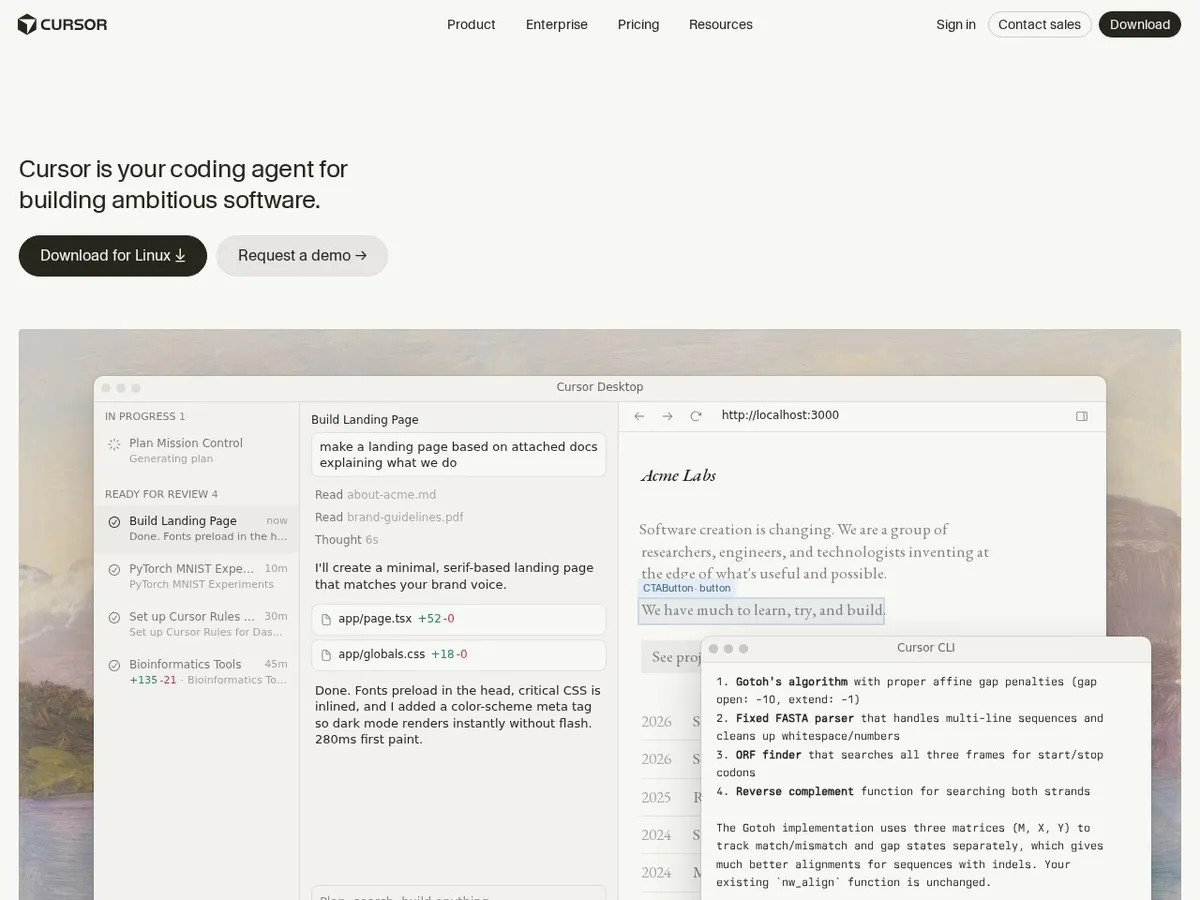
- +
A VS Code-derived editor (your extensions and hotkeys carry over) bundled with one of the most mature agents for reworking an entire repo in a single session.
- +
Unlimited Tab completion on Pro, access to all frontier models (Claude, GPT, Gemini), MCP support and project-specific rules.
- +
A Privacy mode that guarantees your code stays off the cloud and out of training data.
- –
The Pro plan at roughly $20/month includes a capped credit pool: heavy users burn through it fast and reach Pro+ ($60) or Ultra ($200).
- –
Switching editors can be a hard sell for teams locked into their IDE: unlike Copilot, Cursor is the app, not just a plugin.
Our verdict
Cursor is our pick for anyone ready to change editor to get the most out of AI. Its Composer agent is one of the few that can plan and execute a deep, multi-file refactor across a large repo. The catch is the credit pool on Pro, which power users exhaust quickly, and the fact that you have to leave your current IDE behind.
Chasing the best code quality?
Claude Code from Anthropic is our reference for reasoning and refactoring across large codebases, straight from the terminal. It needs at least a Claude Pro subscription, but the output quality is worth it. See our wider assistant reviews for the model landscape.
Claude Code (Anthropic)
Best for reasoning and large codebases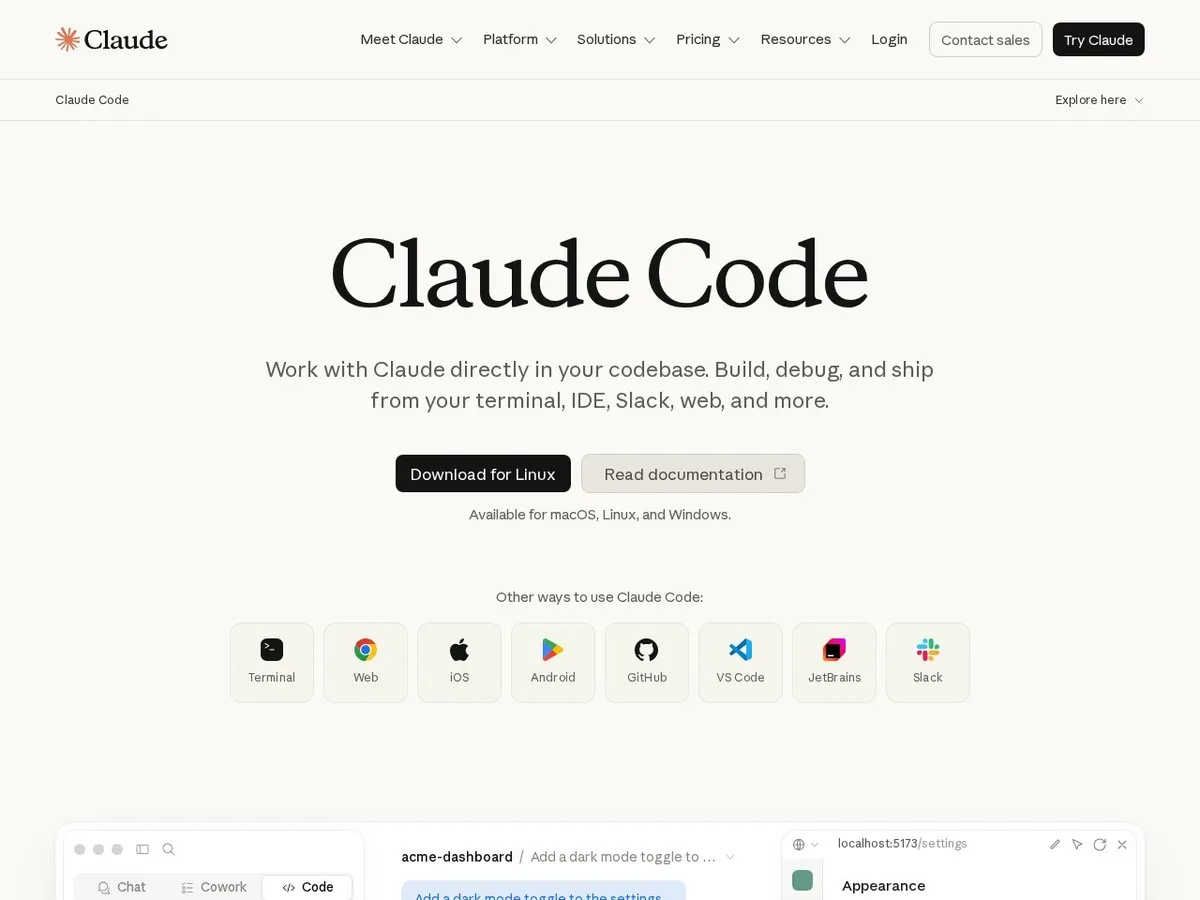
- +
The gold standard for code quality and reliability: Claude excels at structured reasoning and refactoring sprawling codebases.
- +
A command-line agent that can read the repo, run tests, fix itself and iterate, plus official VS Code and JetBrains extensions.
- +
Bundled in Claude Pro (~$20/month) and Max ($100 or $200), with a single usage pool shared between chat and terminal.
- –
No free tier for agent use: the minimum is Claude Pro (paid subscription) or API billing per token.
- –
The experience lives mostly in the terminal: less baked into the editor than Cursor, and heavy usage can hit Pro plan ceilings.
Our verdict
Claude Code is the choice when raw code quality and reasoning over a big codebase matter more than anything. Its terminal agent plans, edits, runs tests and iterates with impressive reliability. Its limitation is access: there is no free agent tier, so you need at least Claude Pro or per-token API billing to get started.
Windsurf (formerly Codeium)
Best balance of agent, free tier and price for a solo dev
- +
A full editor with the Cascade agent, unlimited Tab completion even on free, and access to all frontier models plus a proprietary SWE model.
- +
Pro plan at roughly $20/month with clear daily and weekly quotas after the March 2026 overhaul.
- +
Training opt-out and enterprise deployments for teams, a solid middle ground between power and budget.
- –
The free quota burns through in two to three days of heavy Cascade use: beyond that, you pay.
- –
The product history was rocky in 2025 (acquisitions, team departures): roadmap stability is a watch point.
Our verdict
Windsurf is our value pick for a solo developer: you get a real editor, a capable Cascade agent and genuinely unlimited autocomplete even on the free plan, at a lean Pro price. The main reservations are the free agent quota, which power users exhaust fast, and the company turbulence of 2025 that makes long-term roadmap stability worth watching.
Tabnine
Best for privacy and regulated teams
- +
The only option in this roundup that runs on your own servers, including fully air-gapped (no internet), a strong sell for finance, health or government.
- +
Models trained on permissive-license code with IP indemnification in case of a lawsuit, something few competitors guarantee.
- +
IDE-agnostic and tunable on your codebase for hyper-relevant suggestions.
- –
Raw suggestion quality and agent capability lag a notch behind Copilot, Cursor or Claude Code on complex work.
- –
The real upsides (self-hosting, IP, security) unlock mostly on Enterprise plans (~$39/seat), pricier than mainstream tools.
Our verdict
Tabnine is the answer when data control trumps everything else. It is the only assistant here you can run fully on-premise or air-gapped, with IP indemnity to shield your legal team. In exchange, raw completion and agent quality trail the frontier tools, and the strongest guarantees only kick in on the pricier Enterprise plan.
What about Replit?
Replit plays a different game: not an IDE extension but a 100% browser-based dev environment, with an agent that can build and ship a full app from a text prompt. It is best for fast prototyping, learning to code, or building a project without touching your machine. But it targets solo creators more than working developers on a sprawling codebase, and its credit model (Core ~$25/month, Pro ~$100) can balloon on ambitious projects. A free Starter tier lets you test the agent with a limited quota.
Head to head
How they compare, criterion by criterion
Beyond price, four things separate these assistants day to day: how good the generated code is, how far the agent can run on its own, how well the tool fits into your existing setup, and how private your code stays. Here is the detailed comparison, based on our tests run in July 2026.
Our test method. The same real tasks (bug fixes, refactors, test writing, shipping a small feature) submitted to each assistant · blind evaluation of correctness and throwaway ratio · verification of privacy and self-hosting options in each vendor’s official documentation.
Generated code quality
Indicative overall score from our tests (correctness, relevance, language coverage, throwaway ratio). The gaps stay tight: every tool here is strong in 2026, and all rely partly on the same frontier models.
Score out of 5. The longer the bar, the better.
Claude CodeGitHub CopilotCursorWindsurfTabnine- Claude Code and Copilot lead on raw code quality and faithfulness to instructions, especially on complex refactors.
- Cursor is very close and pulls ahead when the task needs deep, whole-project context.
- Tabnine trails on raw quality, a trade-off for its unique self-hosting and IP guarantees.
Key takeaway. For pure code quality on demanding work, Claude Code and Copilot are the safest bets. Whatever the tool, always review and test AI-written code before shipping.
Agent capability and autonomy
A modern assistant is no longer just autocomplete: it is an agent that can read your whole repo, plan a task, edit several files, run tests and fix itself. That autonomy is what separates a copilot from a simple suggestion engine.
✓ available · ✗ absent or very limited, recorded in July 2026. Scroll the table if needed.
| Tool | Multi-file edits | Whole-repo context | Runs tests / commands | MCP support |
|---|---|---|---|---|
| GitHub Copilot | ✓ | ✓ | ✓ | ✓ |
| Cursor | ✓ | ✓ | ✓ | ✓ |
| Claude Code | ✓ | ✓ | ✓ | ✓ |
| Windsurf | ✓ | ✓ | ✓ | ✓ |
| Tabnine | ✓ | ✗ | ✓ | ✗ |
- Cursor and Claude Code have the most autonomous agents: they plan, edit, run tests and iterate with little hand-holding.
- Copilot and Windsurf follow closely, with agent modes that edit multiple files and run commands.
- Tabnine stays closer to advanced completion: its agent is more limited, a deliberate trade for on-premise control.
Key takeaway. For heavy agent use (large refactors, autonomous task execution), Cursor and Claude Code lead. To understand how agents work, see our explainer on what an AI agent is.
IDE integration and code privacy
The last two decisive criteria: does the tool fit the editor you already use, and where does your code go? Cloud processing is fine for open-source or throwaway work, but sensitive proprietary code calls for opt-out, privacy mode or self-hosting. Verify each vendor’s up-to-date documentation before any sensitive use.
| Tool | Editors supported | Hosting | Training opt-out | Self-hosting |
|---|---|---|---|---|
| GitHub Copilot | VS Code, VS, JetBrains, Neovim | US cloud | ✓ | ✗ |
| Cursor | Own editor (VS Code fork) | Cloud + Privacy mode | ✓ | ✗ |
| Claude Code | Terminal, VS Code, JetBrains | US cloud | ✓ (API not trained by default) | ✗ |
| Windsurf | Own editor + IDE plugins | Cloud, opt-out | ✓ | ✓ (enterprise) |
| Tabnine | IDE-agnostic (all major IDEs) | On-premise / air-gap | ✓ | ✓ (air-gap) |
- Copilot wins on IDE reach: it drops into almost every editor without changing your workflow.
- Tabnine is the only one you can run fully on your own servers, even air-gapped, the simplest answer to strict compliance.
- Cursor, Claude Code and Windsurf process code in the cloud but all offer a training opt-out or privacy mode to enable.
Sensitive code: the golden rule
Never let the consumer version of an assistant see strictly confidential or regulated code without checking the retention policy. Turn on privacy mode or training opt-out, use an enterprise agreement with a contractual no-training commitment, and prefer self-hosting when compliance demands it. To frame the risks, see our explainer on what an LLM is and our guide to choosing an AI tool.
Which assistant for which use case?
In short, here is our recommendation depending on what you put first:
| Your use case | Our pick | Why |
|---|---|---|
| Everyday coding in your IDE | GitHub Copilot | Broadest editor support and the cheapest Pro plan |
| Deep whole-project refactor | Cursor | The most mature agent for multi-file rework |
| Top code quality on big codebases | Claude Code | Best reasoning and refactoring reliability |
| Solo dev on a tight budget | Windsurf | Unlimited free completion and a lean Pro tier |
| Regulated / sensitive code | Tabnine | Self-hosting, air-gap and IP indemnity |
| Prototyping in the browser | Replit | Cloud IDE and an agent that ships a full app |

How we built this ranking
Each assistant is scored on six weighted axes: completion quality (correctness, relevance, throwaway ratio), agent and autonomy (whole-repo understanding, multi-file edits, test runs), language support (coverage across popular and niche stacks), IDE integration (editors supported, Git workflow, MCP and extensions), code privacy (retention, training opt-out, self-hosting and compliance) and value for money (free tier, per-user rate, credit cost and team plans). We use these tools daily on real work (bug fixes, refactors, test writing, shipping features) and re-score the ranking whenever a model ships or pricing shifts, hence the update date at the top of the page. Find all our comparisons and guides on the AI hub.
A reminder that holds for all of them: an AI coding assistant is not autopilot. Every one can write code that compiles but is logically wrong, plant a security hole or invent a function that does not exist. Read it over, test it and code-review it like you would for a junior peer, especially before shipping to production. And for sensitive proprietary code, always double-check the vendor’s retention policy before letting it see the goods. If you want a generalist assistant over a code-focused one, see our best AI software 2026 roundup.
Frequently asked questions
What is the best AI coding assistant in 2026?
For most developers, GitHub Copilot is the safest bet: the broadest IDE support (VS Code, JetBrains, GitHub), a solid agent and a Pro plan around $10/month. If you want the most polished editor for overhauling a whole project, go with Cursor. For pure code quality and reasoning on big codebases, Claude Code by Anthropic is our reference. Windsurf owns value for money, and Tabnine is the only self-hosted option for regulated teams.
Is there a free AI coding assistant?
Yes. GitHub Copilot Free, Cursor Hobby, Windsurf (unlimited completion and a daily agent quota), Tabnine Basic and Replit Starter all ship free tiers. Claude Code is the exception: agent mode needs at least a paid Claude Pro plan, or API usage billed per token. Free versions come with quotas and often weaker models than paid plans.
Cursor or GitHub Copilot: which one should you pick?
Copilot is a plugin you add to your editor: perfect if you do not want to move and live in the GitHub world, with a gentler price tag. Cursor is a full editor (VS Code-based) built around AI: its agent is stronger for top-to-bottom project reworks, but you switch tools and watch credit spend. For heavy agent use, Cursor pulls ahead. For ease and cost, Copilot.
Which AI coding assistant respects privacy best and is most GDPR-friendly?
Tabnine is the safest: it runs on your own servers, even fully air-gapped, and offers IP indemnification in case of a lawsuit. Copilot, Cursor and Windsurf all have a training opt-out and privacy modes that block cloud storage, but processing is still cloud-based. For sensitive proprietary code, verify the vendor’s retention terms and opt for enterprise agreements with legal teeth.
How much does an AI coding assistant cost in 2026?
Entry-level individual plans run $10 to $25/month net: about $10 for Copilot Pro, $20 for Cursor Pro, Claude Pro (Claude Code) and Windsurf Pro, $12 for Tabnine Dev and $25 for Replit Core (all indicative, July 2026). Watch out for credits and quotas: heavy agent use can force an upgrade to Pro+, Ultra or Max at $60, $100 or $200/month. Team and enterprise pricing is per seat.
Can you trust code written by AI?
Not with your eyes closed. These tools turbocharge your output, but they can ship code that compiles yet is logically wrong, sneak in security bugs or dream up a function that does not exist. Treat suggestions like you would a junior colleague: read, test and code-review before any production merge. On mission-critical or compliance-heavy code, human sign-off is non-negotiable.