Best construction ERP software 2026: our comparison
A construction ERP centralises the heartbeat of a contracting firm: estimating and job costing, project tracking, labour and equipment management, supplier and subcontractor coordination, and financial reporting by project. Choosing the wrong software locks you into a system that may not fit your workflow, job complexity or size. We compare continuously the leading platforms for US contractors. Here is our 2026 shortlist, ranked by segment (general contractors, residential builders, commercial specialists), job costing depth, field mobility and total cost of ownership.
Our picks at a glance
Our pickProcore, the industry-leading platform for general contractors and public agencies, with the strongest document management and field workflows.
See ↓ Best for residentialBuildertrend, purpose-built for residential builders and remodelers, with native retail integration and customer portals.
See ↓ Best financial ERPSage Intacct Construction, the true cloud-native financial ERP for mid-market contractors with multi-entity needs.
See ↓ Most completeViewpoint Vista, the enterprise ERP for heavy contractors and civil infrastructure, deep job costing and multi-state payroll.
See ↓ Enterprise alternativeCMiC, the single-database ERP trusted by 1 in 4 of the nation’s top contractors, with AI-powered analytics.
See ↓At a glance
The best construction ERP software compared
| Software | Score | Type | Best for | Job costing | Pricing | |
|---|---|---|---|---|---|---|
| PProcore Our pick | ★★★★★ 4.6 | All-in-one cloud | GC, commercial, enterprise | Yes, with mobile capture | Quote-based | See → |
| BBuildertrend Residential | ★★★★½ 4.5 | Residential specialist | Builders, remodelers | Yes, per-project tracking | Quote-based | See → |
| SSage Intacct Construction | ★★★★☆ 4.3 | Financial ERP cloud | Mid-market contractors | Advanced, multi-dimensional | Quote-based | See → |
| VViewpoint Vista | ★★★★☆ 3.9 | Enterprise ERP | Heavy contractors, civil | Enterprise-grade job costing | Quote-based | See → |
| CCMiC | ★★★★☆ 4.2 | Enterprise single-DB | Large contractors, ENR 400 | Yes, with AI analytics | Quote-based | See → |
| FFOUNDATION | ★★★★☆ 4.3 | Job costing specialist | SMB contractors, prevailing wage | Certified, Davis-Bacon | Quote-based | See → |
Indicative pricing recorded in July 2026. All six products use quote-based pricing models: there are no public price grids. Procore cites “unlimited users, unlimited storage, 24/7 support” included, priced by annual construction volume. Buildertrend, Sage Intacct, Viewpoint Vista, CMiC and FOUNDATION all require direct quotes based on company size, modules, user count and implementation scope. Industry estimates (Procore: ~$375/month entry point per third-party aggregators; Sage Intacct: $400-800/user/month; CMiC: $50,000-150,000+ annually plus $100,000-500,000 implementation; FOUNDATION: on request) should be re-verified directly with vendors before commitment.
No time to read it all?
For most general contractors and mid-sized firms, Procore remains the industry standard: strong job costing, proven field workflows, and the largest integrations ecosystem on the market.
The shortlist in detail
Our top 6 construction ERPs, analyzed

Procore
The industry standard for general contractors
- +
Unmatched document centralisation: RFIs, submittals, plans, drawings all organised in a single searchable vault, accessible in real time from office or field.
- +
Field workflows are deeply built: the mobile app captures photos, daily journals, time tracking and purchase orders in real time, synced back to project HQ instantly.
- +
Largest integration marketplace in construction: connects to accounting, payroll, estimating, design tools and specialist modules, reducing manual data entry.
- +
Relationship Index score (G2) consistently highest across rating cycles, indicating strong customer satisfaction and user retention.
- –
Financial module rated as “convoluted” by users: modifying a change order requires re-lining all subsequent orders, slowing the billing cycle.
- –
Quote-based pricing only, priced on annual construction volume with no public grid, difficult to evaluate budget fit without a sales conversation.
- –
Steep learning curve for the full platform: smaller teams may find themselves underusing the feature set.
Our verdict
Procore is the industry standard for general contractors: the strongest document management in construction (RFIs, submittals, plans in one searchable vault), deeply built field workflows and the largest integrations marketplace, with unlimited users and 24/7 support. It scores highest on G2’s Relationship Index. Two caveats: the financial module is clunky (editing a change order means re-lining subsequent orders), and pricing is quote-only by construction volume, hard to budget without a sales call.

Buildertrend
Purpose-built for residential builders and remodelers
- +
Built from the ground up for custom-home builders and remodelers, not retrofitted from a generic platform, the workflow feels natural to the trade.
- +
Customer portal included: homeowners and clients can see project status, photos, schedules and change orders in real time, reducing management overhead.
- +
Native integrations with Home Depot Pro Xtra and Lowe’s Pro for material pricing and ordering, cutting down on manual procurement.
- +
Customer Service score on Capterra (4.7/5) among the highest in construction software, reflected in fast support response times.
- –
Value for Money score (4.3/5 on Capterra) trails other solutions, suggesting perceived cost-to-benefit trade-offs for some users.
- –
Frequent product updates cited as disruptive to user workflows, teams need ongoing retraining as the interface changes.
- –
Not dimensioned for large commercial projects or enterprise-scale general contractors; a residential and small remodel focus.
Our verdict
Buildertrend is purpose-built for residential builders and remodelers, not retrofitted from a generic platform: a client portal for real-time project visibility, native Home Depot and Lowe’s Pro links for materials, and top-rated customer support. The limits: value-for-money reviews trail rivals, frequent UI updates force ongoing retraining, and it is not sized for large commercial or enterprise general contractors.

Sage Intacct Construction
Cloud-native financial ERP for mid-market contractors
- +
Built from the ground up as a cloud-native system, not a legacy on-premise application ported to the cloud, ensures scalability and uptime.
- +
Financial reporting is the strongest point: multi-dimensional job costing, real-time P&L by project, and consolidation across multiple entities and subsidiaries.
- +
AIA billing and retainage tracking built in, addressing construction’s unique financial needs at the platform core.
- +
Wide network of certified Sage implementation partners across North America, reducing the risk of a solo deployment.
- –
Job costing, while solid, is less granular than construction-only ERPs; implementation partners report that detail-level cost tracking requires custom configuration.
- –
Requires a partner for deployment: there is no self-serve onboarding, making the effective cost significantly higher than the per-user fee.
- –
Steep learning curve for teams unfamiliar with accounting platforms; not intuitive for field or project management, only users.
Our verdict
Sage Intacct Construction is the only true cloud-native financial ERP here: multi-dimensional job costing, real-time P&L by project, multi-entity consolidation and built-in AIA billing and retainage, backed by a wide certified-partner network. Two caveats: job costing is less granular than construction-only ERPs and needs custom configuration, and it requires a partner to deploy, so the effective cost runs well above the per-user fee.

Viewpoint Vista
Enterprise ERP for heavy and civil contractors
- +
Robust accounting and job costing designed for enterprise contractors: multi-entity management, multi-state payroll compliance and deep cost tracking by labour, equipment and material.
- +
Native integration to Trimble Construction One (TC1) connects office accounting to field surveys, BIM and project analytics in a unified ecosystem.
- +
Proven with the nation’s largest civil and heavy contractors, with decades of user feedback baked into the platform.
- –
Customer Service score on Capterra (3.4/5) the lowest of our picks, suggesting slower support response or less helpful guidance.
- –
Configuration complexity high: admins need deep expertise to set up workflows and reporting, and the interface is perceived as dated by newer users.
- –
Licensing model changed in March 2026 to mandatory named-user seats, increasing the effective cost for organisations with many part-time or seasonal staff.
Our verdict
Viewpoint Vista is the enterprise choice for heavy and civil contractors: robust multi-entity accounting, deep job costing by labour, equipment and material, multi-state payroll and native ties to the Trimble ecosystem (surveys, BIM, analytics). The downsides are real: it has the lowest support score of our picks, high configuration complexity with a dated interface, and a March 2026 shift to mandatory named-user seats that raises cost for firms with seasonal staff.

CMiC
Single-database ERP trusted by the nation’s largest contractors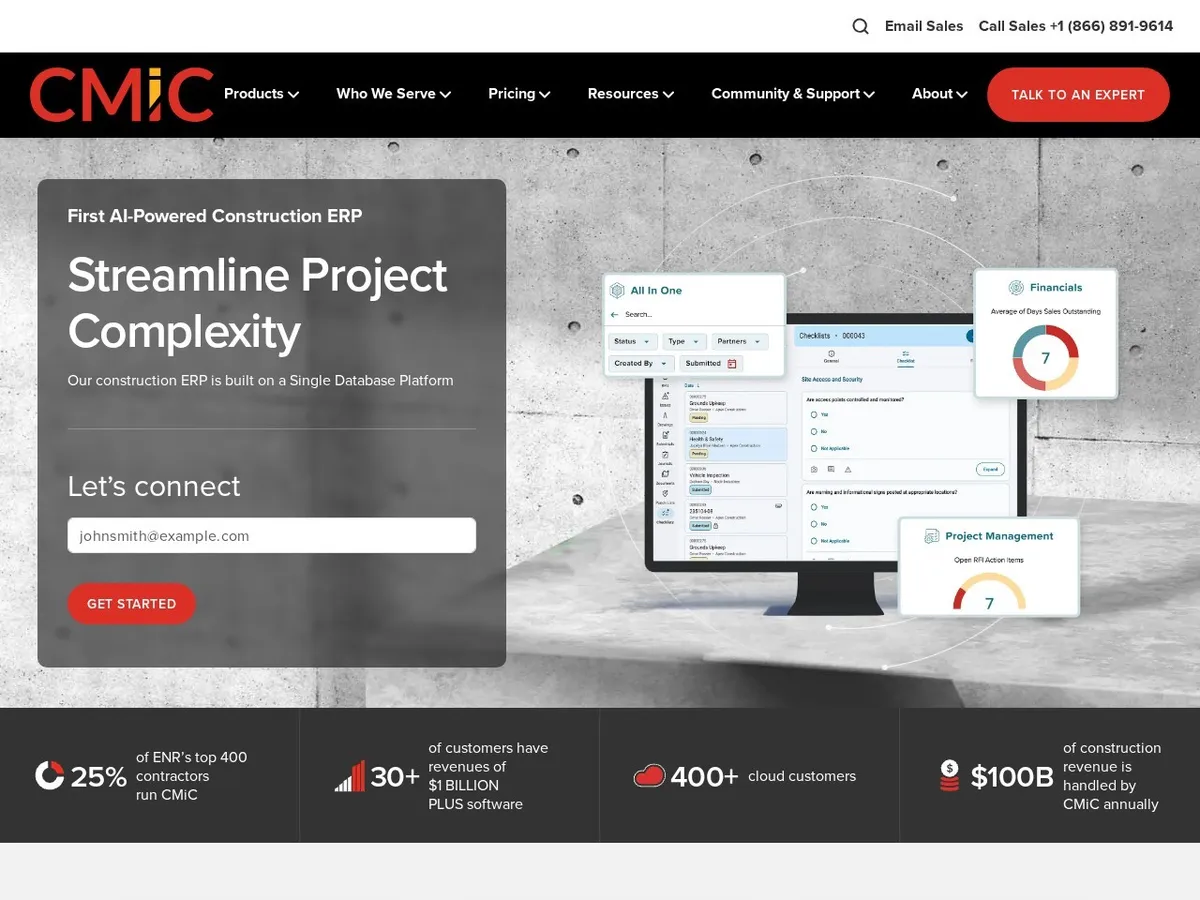
- +
Unified database architecture integrates financial and project management in one application, eliminating data silos and manual reconciliation between systems.
- +
Market penetration among the nation’s largest contractors: 1 in 4 of the ENR Top 400 run on CMiC, indicating proven scalability and feature depth.
- +
Recently launched NEXUS, positioned as the first AI-powered construction ERP, bringing predictive analytics to project performance and resource planning.
- +
Reporting and consolidation across multi-billion-dollar portfolios saluted by user reviews, reflecting enterprise-grade capability.
- –
Implementation is lengthy (12-18 months minimum) and requires dedicated internal leadership; small firms find this timeline and resource demand prohibitive.
- –
User interface and workflows perceived as complex and dated; organisations report frequent latency and bugs during peak processing periods.
- –
Quote-based pricing with very high implementation costs ($100,000-$500,000+), placing it out of reach for mid-market contractors on a tight budget.
Our verdict
CMiC is the single-database enterprise ERP trusted by 1 in 4 of the ENR Top 400: financials and project management in one unified application, no data silos, plus the new AI-powered NEXUS for predictive project analytics and enterprise-grade consolidation. It is built for the biggest firms. The trade-offs: a 12 to 18 month implementation with dedicated internal leadership, a complex, dated interface with reported latency, and very high setup cost, out of reach for mid-market contractors.

FOUNDATION
Job costing and certified payroll for SMB contractors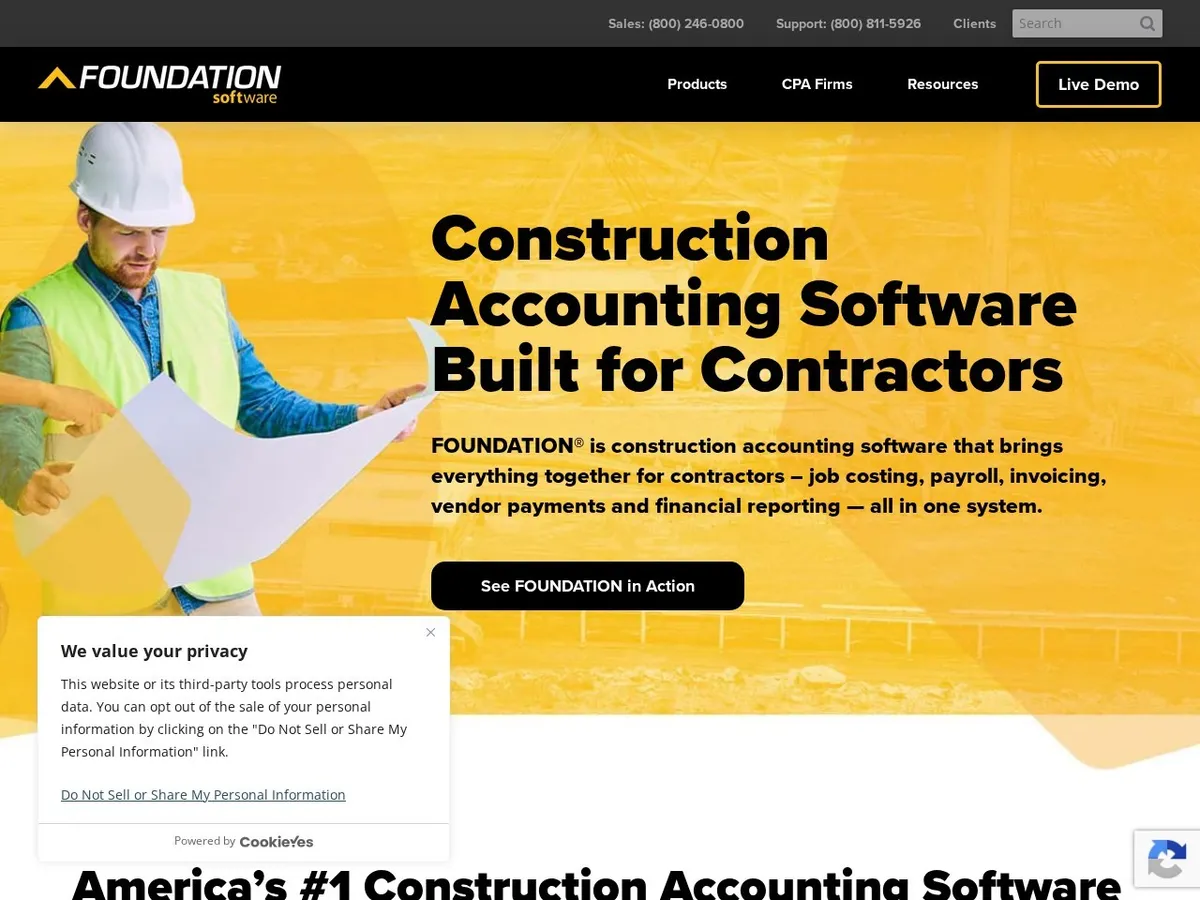
- +
Industry-leading expertise in certified payroll compliance: Davis-Bacon, prevailing wage and multi-state wage tracking built into the platform core, reducing compliance risk.
- +
Job costing down to the dollar and hour per project, suited to labour-intensive contractors who need forensic cost tracking for profitability analysis.
- +
Long track record: founded in 1989, acquired by Thoma Bravo in 2020, serving over 43,000 construction professionals across North America.
- +
Customer support consistently praised in reviews as responsive and knowledgeable about construction payroll complexities.
- –
Bugs and crashes reported by a subset of users, especially during peak payroll processing periods; system stability not as high as larger enterprise solutions.
- –
Custom reporting module perceived as cumbersome; building a non-standard report requires manual configuration or development work.
- –
Scope narrower than full ERPs: job costing and certified payroll are the strong points, but project management and field mobility lag behind platforms like Procore or Buildertrend.
Our verdict
FOUNDATION is the specialist for labour-intensive SMB contractors: industry-leading certified payroll (Davis-Bacon, prevailing wage, multi-state), forensic job costing to the dollar and hour, 40+ years in the trade and consistently praised support. The limits: some users report bugs and crashes during peak payroll runs, the custom reporting module is cumbersome, and its scope is narrower than full ERPs, with project management and field mobility behind Procore or Buildertrend.
Not sure where to start?
Procore remains the most versatile choice for general contractors of all sizes. If your firm is residential-focused, Buildertrend is purpose-built. For enterprise scale, CMiC or Viewpoint Vista are your benchmarks.
Our analysis
Job costing, financials and cost of ownership compared
Beyond the segment fit, what separates these six platforms is the depth of their job costing, how they handle financials and certified payroll, and the true cost of ownership. Here is the detail, criterion by criterion, as we verified it in July 2026.
Job costing and field capabilities
A construction ERP is judged first on how precisely it tracks cost by project and how well crews capture data in the field. Scroll the table horizontally if needed.
| Software | Job costing | Field mobile | Segment |
|---|---|---|---|
| PProcore | ✓ | ✓ excellent | GC & commercial |
| BBuildertrend | ✓ | ✓ strong | Residential |
| SSage Intacct | ✓ advanced | ~ | Mid-market finance |
| VViewpoint Vista | ✓ deep | ~ | Heavy & civil |
| CCMiC | ✓ deep | ✓ | Enterprise |
| FFOUNDATION | ✓ certified | ~ | SMB payroll |
Key takeaway. For field mobility, Procore and Buildertrend lead; for forensic job costing, Viewpoint, CMiC and FOUNDATION go deepest.
Financials, payroll and deployment
Financial depth and certified-payroll compliance decide whether an ERP fits a regulated, multi-entity contractor.
✓ strong · ~ basic or partial.
| Software | Financial reporting | Certified payroll | Deployment |
|---|---|---|---|
| PProcore | ~ | ✓ | Cloud |
| BBuildertrend | ~ | ~ | Cloud |
| SSage Intacct | ✓ strong | ~ | Cloud |
| VViewpoint Vista | ✓ | ✓ multi-state | Cloud |
| CCMiC | ✓ | ✓ | Cloud |
| FFOUNDATION | ✓ | ✓ Davis-Bacon | Cloud / on-prem |
Key takeaway. Sage Intacct leads on financial reporting; FOUNDATION and Viewpoint are the safest for prevailing-wage and multi-state certified payroll.
Cost and implementation
All six are quote-based. What really varies is the implementation effort and who each fits best.
| Software | Pricing | Implementation | Best fit |
|---|---|---|---|
| PProcore | Quote (by volume) | Moderate | GC of all sizes |
| BBuildertrend | Quote | Fast | Residential builders |
| SSage Intacct | Quote (~$400+/user) | Partner-led | Multi-entity mid-market |
| VViewpoint Vista | Quote (named-seat) | Heavy | Heavy & civil |
| CCMiC | Quote ($50k+/yr) | 12 to 18 months | Large enterprise |
| FFOUNDATION | Quote (on request) | Moderate | SMB certified payroll |
Key takeaway. Always request a full quote (licence, implementation, migration, training). CMiC and Viewpoint carry the heaviest rollouts; Buildertrend and FOUNDATION are the quickest to stand up.
Which construction ERP for which contractor?
To sum up, here is our recommendation based on your profile:
| Your profile | Our pick | Why |
|---|---|---|
| General / commercial contractor | Procore | Best document management, field workflows and integrations |
| Residential builder / remodeler | Buildertrend | Purpose-built with client portal and retail links |
| Multi-entity mid-market | Sage Intacct | True cloud financial ERP with deep reporting |
| Heavy & civil contractor | Viewpoint Vista | Deep job costing and multi-state payroll |
| Large enterprise (ENR 400) | CMiC | Single-database ERP with AI analytics |
| Certified-payroll SMB | FOUNDATION | Davis-Bacon and prevailing-wage specialist |

How we built this ranking
Every construction ERP is evaluated across four weighted axes: functional coverage (estimating and job costing, project tracking, labour and equipment management, supplier and subcontractor coordination, financial reporting by project), segment fit (residential builders, commercial contractors, heavy and civil, enterprise scale), field and financial integration (mobile apps for real-time data capture, cloud architecture, reporting depth) and real cost of ownership (licence fees, but also implementation, training and ongoing customisation). We prioritise solutions genuinely suited to small and mid-market US contractors and re-evaluate pricing and features at every change, which is why the update date sits at the top of the page.
Construction ERP: where do you start?
Before you price-shop, frame your firm’s size and job complexity. A sole proprietor running small residential jobs is not ready for an enterprise ERP like CMiC. A general contractor billing $10M+ per year with multiple entities and state-specific payroll needs cannot squeeze into Buildertrend. The platform must fit your workflow, not the other way around.
The second reflex is to think in total cost of ownership, not just per-user fees or platform licence. A quote-based solution like Procore or CMiC hides implementation and training costs until you speak with a salesperson. Always ask for a full quote: software licence, implementation hours, data migration, training and ongoing support. Many contractors underestimate the internal effort required to configure the system and migrate historical data.
Finally, verify integration fit: does the platform connect to your accounting software, your estimating tool (if separate), your payroll service and your bank reconciliation? A silo’d ERP requires manual data entry between systems, which erodes the ROI. To go further, read our guide to choosing an ERP.
Which construction ERP fits your profile?
For a general contractor or mid-sized commercial firm, Procore is the default recommendation: strong job tracking, proven field workflows and the largest integrations marketplace. For a residential builder or remodeler, Buildertrend is purpose-built, with customer portals and retail supplier links that matter to your workflow. A mid-market contractor with multi-entity needs (multiple regions, subsidiaries) will benefit from Sage Intacct Construction’s cloud architecture and financial reporting depth. A heavy or civil contractor with complex equipment tracking and multi-state payroll should evaluate Viewpoint Vista or, for enterprise scale, CMiC. Finally, a labour-intensive SMB contractor focused on certified payroll compliance (Davis-Bacon, prevailing wage) will find FOUNDATION’s specialisation in payroll and job costing invaluable.
Frequently asked questions
What is the best construction ERP in 2026?
For most general contractors and commercial builders, Procore offers the best balance of document management, field mobility and integrations (G2 score 4.6/5). For residential builders and remodelers, Buildertrend is purpose-built (4.5/5). For enterprise contractors, CMiC (trusted by 1 in 4 of the ENR Top 400) and Viewpoint Vista are the standards. For financial depth, Sage Intacct Construction is the only true cloud-native financial ERP. For certified payroll (Davis-Bacon, prevailing wage), FOUNDATION is the specialist.
How much does construction ERP software cost?
All six platforms use quote-based pricing with no public grids. Industry estimates (to be verified directly with vendors): Procore entry point around $375/month per third-party aggregators; Sage Intacct $400-800/user/month; CMiC $50,000-150,000+ annually plus $100,000-500,000+ implementation; Viewpoint Vista and Buildertrend custom; FOUNDATION on request. Always ask for a complete quote including implementation, training and data migration, not just the platform licence.
What features matter most in a construction ERP?
Look first at job costing accuracy: can the ERP track labour, materials, equipment and subcontractor costs by project and phase? Second, field capture: does the mobile app let crews log time, photos and RFIs in real time, avoiding end-of-week data entry? Third, financial integration: does the system sync automatically with your accounting software and payroll? Fourth, scalability: will it grow with your firm as you add projects, users and complexity?
Should we deploy an ERP in the cloud or on-premise?
Cloud deployment (Procore, Buildertrend, Sage Intacct, CMiC, Viewpoint Vista) is now standard in construction software: faster access from the field, automatic backups, and no server maintenance burden. On-premise is rare and unnecessary for most contractors today. If data residency is a concern (e.g., certain government projects), verify your ERP’s compliance certifications (FedRAMP, HIPAA, SOC 2) before signing.
Is there a construction ERP that handles prevailing wage and Davis-Bacon compliance?
Yes. FOUNDATION is the specialist in certified payroll, Davis-Bacon compliance and prevailing wage tracking, it was built for labour-intensive contractors subject to these regulations. Larger platforms like Procore, CMiC and Viewpoint Vista also support prevailing wage, but FOUNDATION’s 40+ years of payroll specialisation makes it the safest choice for contractors whose entire business depends on wage-and-hour compliance.
What happens if we outgrow our current ERP?
Many contractors start with Procore (versatile at any size) or Buildertrend (if residential-focused) and scale there. If you need deeper multi-entity accounting, Sage Intacct or CMiC are typical migration targets. The transition is costly and disruptive: data migration, training, process re-engineering. Choose an ERP that can grow with you to avoid a second migration in five years.